
Preventing Repetitive Strain Injury (RSI) in remote teams requires shifting from providing individual tips to implementing a systemic, data-driven ergonomic program.
- Effective prevention hinges on proactive risk assessment, policy-level changes, and behavioral science, not just equipment.
- An H&S officer’s role is to build an accountable framework that embeds safety into the company’s culture and daily operations.
Recommendation: Start by implementing a multi-tiered remote assessment protocol to move from a reactive to a proactive risk mitigation strategy.
The transition to remote work promised flexibility, but it delivered a silent epidemic of musculoskeletal disorders (MSDs). While standing desks and ergonomic chairs are well-intentioned purchases, they are merely tools. They are not a strategy. As a Health and Safety (H&S) Officer, you’ve likely seen the reports: complaints of back pain, wrist strain, and neck stiffness are rising. The “kitchen table” has become the new office, and it is an ergonomic minefield. The common response—circulating PDFs of stretching exercises or offering equipment stipends—is failing because it places the entire burden of prevention on the individual employee, who is often unequipped to create a safe workspace.
The core problem is not a lack of information, but a lack of structured implementation and accountability. Individual tips are forgotten, good intentions fade, and risky habits become ingrained. But what if the key to preventing Repetitive Strain Injury (RSI) wasn’t about reminding employees to sit up straight, but about building a corporate ecosystem that makes healthy behaviors the default? The true role of a modern H&S officer is to evolve from a distributor of advice to an architect of a comprehensive ergonomic program. This is a systemic approach that integrates assessment, behavior, environment, and communication into a single, cohesive strategy.
This article provides a blueprint for that system. We will deconstruct the components of a robust remote ergonomics program, moving from foundational remote audits to the nuances of motivating behavioral change and handling sensitive health discussions. We’ll explore how to leverage data, policy, and proactive interventions to create a workplace—wherever it may be—that is fundamentally safer and more productive.
To navigate this comprehensive framework, the following sections will guide you through the critical pillars of building an effective remote ergonomics and well-being program. Each part addresses a specific challenge you face as an H&S Officer, providing actionable, evidence-based solutions.
Summary: A Systemic Approach to Preventing RSI in Remote Teams
- The “Kitchen Table” Spine: How to Audit Employee Home Setups Remotely?
- Blue Light Glasses: Marketing Gimmick or Essential PPE for Coders?
- Sitting is the New Smoking: How to Gamify Movement During the Workday?
- Open Office Noise: How Decibel Levels Impact Cortisol and Productivity?
- If I Trip Over My Dog During Work Hours, Is It Worker’s Comp?
- The “Lunch at Desk” Epidemic: How to Encourage Real Breaks for Productivity?
- Badges or Bonuses: What Actually Motivates Adults to Learn at Work?
- How to Discuss Mental Health with an Employee Without Crossing Legal Lines?
The “Kitchen Table” Spine: How to Audit Employee Home Setups Remotely?
The first step in building an ergonomic program is to move from assumption to assessment. You cannot mitigate risks you cannot see. For H&S officers, the lack of direct oversight into home offices is the primary hurdle. A successful remote audit process must be scalable, respectful of privacy, and data-driven. The goal is to create a clear picture of employee workspaces to identify high-risk situations before they lead to recordable injuries. This requires a proactive risk mitigation strategy rather than a reactive response to pain complaints.
A one-size-fits-all approach is ineffective. Instead, a tiered system allows you to allocate resources efficiently, focusing intensive support on those who need it most. This begins with confidential self-assessments that empower employees to evaluate their own setups against established best practices. This initial data collection is crucial; it provides a baseline understanding of your organization’s overall ergonomic health and flags potential problem areas without being intrusive. For cases that require more attention, a voluntary photo or video review by a trained specialist can offer personalized, actionable feedback.
The highest tier of support, reserved for high-risk individuals or complex cases, involves one-on-one virtual consultations with certified ergonomists. This structured, multi-level approach not only demonstrates a corporate commitment to employee well-being but also creates a defensible, documented process for managing ergonomic risk in a distributed workforce. This is the foundation of a true ergonomic program, not just a checklist.
Your Action Plan: The Three-Tier Home Office Assessment Framework
- Implement a Mandatory Self-Assessment: Deploy a confidential checklist for all remote employees covering their workspace setup (chair, desk, monitor height), equipment quality, and any existing pain symptoms. This is your primary data-gathering tool.
- Offer Voluntary Specialist Review: Establish a process for employees to submit photos or short videos of their workspace for review by an HR-appointed specialist, who then provides personalized, written recommendations.
- Provide Expert Virtual Consultations: For high-risk cases identified in the first two tiers, or upon employee request, fund one-on-one virtual consultations with a certified professional ergonomist to provide in-depth solutions.
- Create an Internal Certification Program: Develop simple training modules on home office safety and ergonomics, concluding with a self-certification form where employees attest they have a safe and compliant workspace.
- Establish an Ergonomic Stipend Playbook: Instead of offering a generic lump-sum budget, create a pre-vetted catalog of approved ergonomic equipment. This guides employee spending toward effective, high-quality solutions and simplifies the purchasing process.
Blue Light Glasses: Marketing Gimmick or Essential PPE for Coders?
As employees spend more hours in front of screens, questions about digital eye strain and blue light exposure have become common. Blue light glasses are heavily marketed as a simple fix, but from an occupational health perspective, it’s crucial to separate marketing hype from scientific evidence. The primary concerns related to screen time are digital eye strain and the disruption of the circadian rhythm. While blue light is a factor, it is not the only, or even the primary, cause of eye strain.
The evidence for blue light filtering glasses reducing digital eye strain is currently weak. Eye strain is more often caused by poor lighting, glare, uncorrected vision problems, and, most significantly, a reduced blink rate while staring at a screen. However, the impact of blue light on sleep is a different matter. As University Health Services at Princeton notes, the mechanism is well-established.
The evidence for blue light glasses reducing digital eye strain is weak, but the mechanism for melatonin suppression by blue light at night is well-established.
– University Health Services Princeton, Ergonomics & Computer Use Guidelines
Therefore, a policy should focus on solutions with proven efficacy. Built-in software like “Night Shift” on Apple devices or “Night Light” on Windows, as well as third-party apps like f.lux, are highly effective at reducing blue light exposure in the evening to protect sleep quality—at no cost. Furthermore, simple behavioral changes and proper ergonomic setup, such as the 20-20-20 rule and correct monitor positioning, are far more effective for combating eye strain than any pair of glasses.
As an H&S officer, your role is to guide policy toward evidence-based solutions. The following table provides a clear comparison to inform your recommendations.
| Solution Type | Effectiveness for Eye Strain | Impact on Sleep Quality | Cost | Implementation Ease |
|---|---|---|---|---|
| Night Shift/Night Light (Built-in) | Moderate | High | Free | Immediate |
| f.lux Software | Moderate | Very High | Free | 5 minutes setup |
| Blue Light Glasses | Low-Moderate | Moderate-High | $30-150 | Purchase required |
| 20-20-20 Rule | Very High | N/A | Free | Habit formation needed |
| Monitor Position Adjustment | High | Low | Free | One-time setup |
Sitting is the New Smoking: How to Gamify Movement During the Workday?
Providing a standing desk is not a solution to a sedentary workday; it merely changes the static posture. The real danger lies in prolonged inactivity, which impairs circulation, strains muscles, and negatively impacts metabolic health. The challenge for remote teams is making regular movement an unconscious, integrated part of the day. Simply telling employees to “take more breaks” is ineffective because it relies on finite willpower. A more robust approach uses principles of behavioral science to build movement into the workflow through gamification and habit stacking.
Gamification introduces elements of play and competition to encourage participation. This can range from team-wide step challenges to leaderboards for “active minutes.” The key is to make it social, voluntary, and fun, turning a health initiative into a team-building activity. Another powerful technique is “habit stacking,” which links a new desired behavior (e.g., stretching) to an existing daily habit (e.g., ending a video call). By creating specific, small, and repeatable routines, you lower the barrier to action and help form lasting habits.

The goal is to create a culture where movement is not an interruption of work, but a part of it. The University of South Florida’s SafetyFlorida Consultation Program demonstrated this by successfully implementing the 20-20-20 rule (every 20 minutes, look at something 20 feet away for 20 seconds) as part of a broader program. By combining this simple, memorable rule with scheduled movement breaks and targeted exercises, they were able to significantly reduce complaints of eye strain and musculoskeletal pain among remote staff. This shows that small, consistent interventions, when implemented as a program, yield tangible results.
Open Office Noise: How Decibel Levels Impact Cortisol and Productivity?
Ergonomics extends beyond the physical body to the surrounding environment. While remote work eliminates the constant chatter of an open office, it introduces a new set of acoustic challenges: barking dogs, construction noise, and household distractions. These interruptions are not just annoying; they have a measurable physiological impact. Unpredictable noise triggers the release of cortisol, the body’s primary stress hormone. Chronically elevated cortisol levels are linked to anxiety, decreased immune function, and reduced cognitive performance, directly impacting both well-being and productivity.
The lack of a proper home office setup and constant acoustic distractions are significant contributors to employee stress. One study found that 46% of full-time US workers suffer from mental health issues, with work-related stress being a major factor. As an H&S officer, addressing the acoustic environment is a critical component of a holistic well-being program. This involves creating policies that both mitigate noise and protect an employee’s ability to perform “deep work”—cognitively demanding tasks that require sustained, uninterrupted focus.
Case Study: Digital Deep Work Signals Implementation
To combat the “always-on” culture that remote work can foster, some companies are implementing “Digital Deep Work Signals.” This systemic approach involves establishing team-wide protocols, such as using a specific Slack status like ‘🎧 Focus Mode’ that automatically silences notifications for a set period. This is combined with encouraging employees to block out “deep work” sessions in shared calendars and agreeing on acceptable response times for non-urgent messages. One tech company that implemented these digital signals, alongside providing stipends for noise-canceling headphones, reported a 35% increase in logged deep work hours and a notable reduction in meeting fatigue and perceived stress among its engineers.
Protecting employees from noise is about more than just comfort; it’s about safeguarding their cognitive resources and mental health. Policies that formalize uninterrupted time and provide the tools to achieve it are a crucial, yet often overlooked, aspect of remote work safety and performance.
If I Trip Over My Dog During Work Hours, Is It Worker’s Comp?
One of the most ambiguous areas for H&S officers in the remote era is liability for home-based injuries. The question of whether an injury sustained at home is covered by workers’ compensation is a significant concern. The legal standard generally revolves around whether the injury “arose out of and in the course of employment.” This means the employee must have been performing a work-related duty when the incident occurred. For example, tripping over a pet while walking to a printer to retrieve a work document would likely be a covered claim. Tripping over the same pet while getting a personal snack during a break would likely not be.
This “course and scope” doctrine creates a gray area that requires clear corporate policy and proactive risk management. The primary defense for an employer is to demonstrate that they have taken reasonable steps to ensure a safe home work environment. This reinforces the importance of the remote audit process discussed earlier. A mandatory self-assessment where employees identify and attest to mitigating household hazards (like loose cables or poor lighting) is a critical first step. It establishes a baseline of shared responsibility for safety.
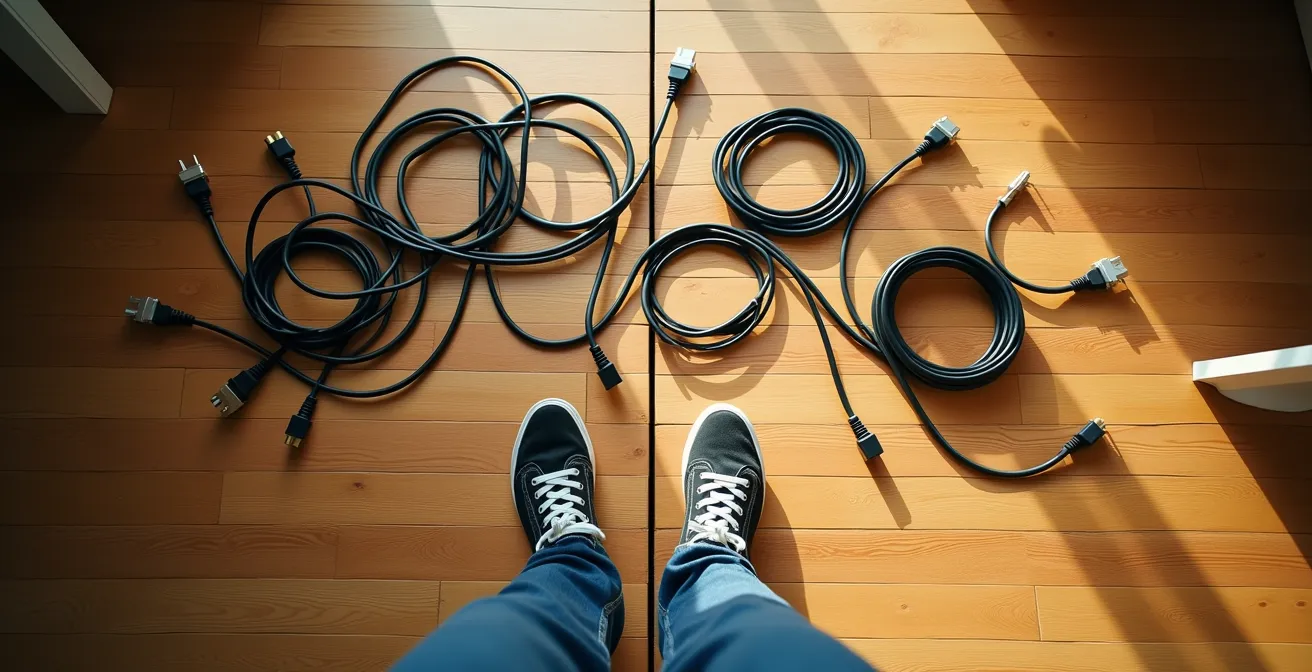
Beyond physical hazards, it’s essential to have a clear, well-communicated incident reporting procedure specifically for remote employees. They need to know who to contact and what information to provide immediately following an injury. A proactive stance—combining mandatory self-certification of a hazard-free workspace with clear policies and robust training—is the most effective way to manage liability while genuinely supporting the well-being of a distributed workforce.
The “Lunch at Desk” Epidemic: How to Encourage Real Breaks for Productivity?
In a remote setting, the physical and psychological boundaries between work and personal time blur. This often leads to the “lunch at desk” phenomenon, where employees eat while continuing to answer emails and attend to tasks. This lack of genuine detachment is detrimental to both mental health and long-term productivity. Breaks are not a luxury; they are a neurological necessity for cognitive restoration, creativity, and focus. A brain that never disconnects becomes less efficient, more prone to errors, and is at a higher risk of burnout.
Encouraging real breaks requires a top-down, policy-driven approach, as company culture often implicitly rewards “always-on” behavior. As an H&S officer, your role is to advocate for systemic changes that make taking a break the default, not the exception. This means designing workflows that have breaks built directly into them. For example, scheduling all meetings for 25 or 50 minutes instead of the full 30 or 60 automatically creates transition time for employees to stand, stretch, and mentally reset between calls.
Establishing firm policies, such as a company-wide “no meetings” lunch hour, sends a powerful message that the organization values and protects personal time. These structural changes are far more effective than simply telling employees to take breaks. The goal is to create a “break-by-default” workflow. This can be supported by:
- Scheduling all meetings for 25 or 50 minutes to enforce transition time.
- Implementing a company-wide ‘no-meetings’ lunch hour from 12-1 pm.
- Setting up automated Slack reminders encouraging screen breaks every hour.
- Creating ‘Fake Commute’ rituals, such as encouraging 15-minute walks to bookend the workday.
- Using calendar blocking for ‘Psychological Detachment’ breaks.
- Establishing a team norm of celebrating ‘brb, getting some sun’ status updates.
The most effective well-being initiatives are those embedded in the company’s operational DNA, making the healthy choice the easy choice.
Key Takeaways
- Systemic programs are more effective than individual tips for preventing RSI in remote teams.
- A multi-tiered remote assessment is the foundation of any effective remote ergonomics strategy.
- Behavioral science (gamification, habit stacking) is crucial for encouraging consistent healthy habits like movement.
Badges or Bonuses: What Actually Motivates Adults to Learn at Work?
A comprehensive ergonomics program is only as effective as the training that supports it. However, traditional annual, one-size-fits-all training modules often fail to engage employees, resulting in low retention and minimal behavioral change. For adult learners, motivation is driven by relevance and immediate applicability. They are most receptive to learning when it solves a current, tangible problem. This is where the concept of “Just-in-Time” micro-learning becomes a powerful tool for H&S programs.
Instead of a lengthy, mandatory course, a just-in-time approach delivers small, targeted pieces of information exactly when they are needed. For example, if an employee reports wrist pain in their self-assessment, the system can automatically send them a 2-minute video and a one-page guide on proper wrist posture and recommended stretches. This contextual learning is far more powerful than abstract training. As one case study showed, companies implementing this model saw completion rates increase by 300% compared to their previous mandatory annual training.
Intrinsic motivation (the desire to solve a problem) is a stronger driver than extrinsic rewards like badges. However, extrinsic motivators can be effective when directly linked to the learning outcome. For instance, unlocking an ergonomic equipment stipend only after completing a relevant training module creates a direct and valuable incentive. The key is to connect the learning directly to a solution. As the charity AbilityNet emphasizes, prevention is the ultimate goal.
Prevention of RSI is far easier than cure. Even if you do not have any symptoms, you should adapt your work to reduce risk.
– AbilityNet, RSI in the Workplace Guidelines
An effective training strategy focuses on providing practical, timely solutions that empower employees to take immediate action, rather than simply checking a compliance box.
How to Discuss Mental Health with an Employee Without Crossing Legal Lines?
As an H&S officer, you understand the deep connection between physical discomfort, stress, and mental health. An employee experiencing chronic pain from a poor ergonomic setup is also likely experiencing increased stress and decreased focus. While managers are often the first to notice changes in an employee’s behavior or performance, they are rightly hesitant to initiate conversations about health for fear of crossing legal or personal boundaries. Providing managers with a safe, structured framework for these conversations is a critical final piece of a holistic well-being program.
The key is to focus strictly on observable, work-related behaviors and impacts, without diagnosing, assuming, or prying. The conversation should not be about “mental health” but about “workplace comfort” and “performance support.” A useful tool for this is the B.I.C.E. Framework (Behavior, Impact, Concern, Empathy).
- Behavior: State an observable, work-related physical issue. (e.g., “I’ve noticed you seem to be stretching your neck frequently during our video calls.”)
- Impact: Describe the effect on work without diagnosing. (e.g., “It looks like it might be causing some discomfort during meetings.”)
- Concern: Express genuine, professional care for their well-being. (e.g., “I’m concerned about your comfort and want to make sure you have the support you need.”)
- Empathy & Resources: Offer resources without prescribing a solution. (e.g., “I want to remind you that our Employee Assistance Program covers confidential ergonomic assessments and stress management resources. Here is the link if you’d like to explore it.”)
This approach keeps the conversation grounded in performance and support, empowering the manager to act as a helpful resource rather than an unqualified diagnostician. With the scale of the issue—statistics show that 1 in 50 UK workers has reported an RSI condition—equipping managers with these tools is not optional, it’s essential for proactive intervention and risk management.
Frequently Asked Questions About Standing Desks Are Not Enough: How to Prevent RSI in Remote Teams?
What determines if a home injury is covered by workers’ comp?
The key factor is ‘course and scope’ of employment – whether the injury occurred while performing a work-related duty. Tripping while walking to print work documents would likely be covered; tripping while getting a personal snack would not.
What about injuries during a lunch break at home?
Generally not covered unless you were performing a work task. The ‘zone of employment’ typically excludes personal breaks, though walking meetings or work calls during breaks may create gray areas.
How can employers protect themselves while supporting remote workers?
Implement a Proactive Risk Mitigation Policy requiring employees to self-certify their workspace is hazard-free, provide clear incident reporting procedures, and create a culture of shared responsibility for safety.
To truly protect your remote workforce and the organization, your focus must shift from distributing generic advice to architecting a comprehensive, multi-faceted ergonomic program. The next logical step is to use the assessment framework to gather baseline data on your team’s current risks.